What Neural.love Does
Neural.love suits image-first projects that combine AI image editing, generation, and restoration in a browser; recurring production work calls for closer attention to repeatability, credits, and retention. This Neural.love review examines those trade-offs and when video-focused work may call for a specialist.
Bottom line: Neural.love is best suited to image-first creative work with occasional multimedia tasks; its workflow needs closer scrutiny when video processing or output consistency becomes central.
Neural.love positions itself as a platform that makes creative AI tools more accessible for creators and businesses. Its browser-based design makes it practical for image-first projects, but that convenience does not automatically make every output or workflow equally predictable.
Neural.love Features and Image Quality
Neural.love combines image generation, photo enhancement, text-based image editing, restoration, video tools, and audio processing in one browser-based workspace. Its strongest fit is broad creative access rather than a tightly controlled production pipeline.
| Tool | What it does | Best for |
|---|---|---|
| AI Image Generator | Text-to-image (up to 4K) | Social posts, concept art, marketing visuals |
| Text-based image editing | Describe changes to an uploaded image | Revising existing visuals |
| AI Uncrop (Outpainting) | Extends image borders intelligently | Aspect-ratio repurposing |
| Image enhancement | Restore and upscale uploaded images | Photo cleanup and enlargement |
| AI Video Enhancer | Upscale + frame interpolation + face restoration | Old footage, low-res clips |
| AI Audio Enhancer | Noise reduction + clarity boost | Voiceover cleanup, podcasts |
The video enhancer matters most for readers comparing Neural.love with dedicated upscalers, but image generation remains the platform’s core use case. Neural.love supports image creation, restoration, and upscaling, while video processing time varies by job rather than following a fixed turnaround. Its image tools also support text-based editing and a batch workflow for up to 100 images, with access determined by the selected plan. Upload an image, select enhancement or describe the edit, inspect the result for unwanted changes, then download it.
| Image review area | What to expect | Practical limit |
|---|---|---|
| Prompt adherence | Broad concepts work well | Detailed constraints may drift |
| Subject accuracy | Useful for concepts | Fine attributes can change |
| Faces and detail | Restoration can improve clarity | Overprocessing is possible |
| Image upscaling | Helps moderate-quality images | Cannot restore missing detail |
| Output controls | Designed for accessible creation | Not a technical control suite |
For broad creative work, Neural.love’s value is its accessible range of tools. Detailed technical prompts and repeatable image outputs need more cautious expectations; the FAQ below describes a historical model-update experience and practical ways to preserve project settings.
Who Should Use Neural.love?
Ideal For
| User type | Why neural.love fits |
|---|---|
| Casual creators | Browser-based tools without desktop installation |
| Self-published authors | Image generation + book-cover AI in one tool |
| Social-first marketers | Fast text-to-image for blog & post graphics |
| Photo hobbyists | One-click restoration on old family photos |
| Voice / podcast hobbyists | Quick noise reduction without DAW skills |
Not Ideal For
| User type | Limitation | Alternative workflow or tool |
|---|---|---|
| Sustained video workflows | Video is not included with Free access | Dedicated video enhancer |
| Technical image workflows | Limited production controls | Tool with deeper controls |
| Film / TV professionals | AI artifacts on faces & motion | DaVinci Resolve + dedicated upscaler |
| Enterprise content teams | Limited collaboration / role controls | Adobe Express / Canva Enterprise |
| Audio engineers | Basic noise reduction only | Adobe Audition / iZotope RX |
Neural.love Safety, Privacy, and Rights
For sensitive work, consider Neural.love’s upload retention periods and account controls before submitting material.
Data Retention and Commercial Rights
| Asset or policy | What it means | Retention or responsibility |
|---|---|---|
| Processed source files | Uploaded materials used for processing | Up to 21 days |
| Final videos | Completed video outputs | Up to three months |
| Final non-video files | Completed image and other outputs | Up to six months |
| Uploaded content | Use requires appropriate rights | User responsibility |
| Commercial use | Governed by current platform terms | Not blanket copyright protection |
| Deletion | Manage assets through the account | Review account controls |
Retention references: Neural.love Terms and Video FAQ.
The table reflects Neural.love’s terms; its video FAQ separately states that files are deleted after 7 days, which conflicts with the longer retention periods above. You must hold the necessary rights or permissions for uploaded material and follow applicable platform terms and copyright rules for your intended use. Permission for commercial use does not confer blanket copyright protection. Download and back up completed work rather than relying on account storage.
Reported Limitations
- AI overprocessing can produce unnatural smoothing on portraits.
- The Free plan does not include video editing, video generation, or audio editing.
- Listen to the processed audio for artifacts, especially when working at higher sample rates.
Is Neural.love Safe?
Neural.love is a reasonable option for ordinary creative uploads when its browser workflow, retention periods, and account controls fit the project. For sensitive client material, review the retention and account controls before uploading.
Neural.love Video Workflow and Formats
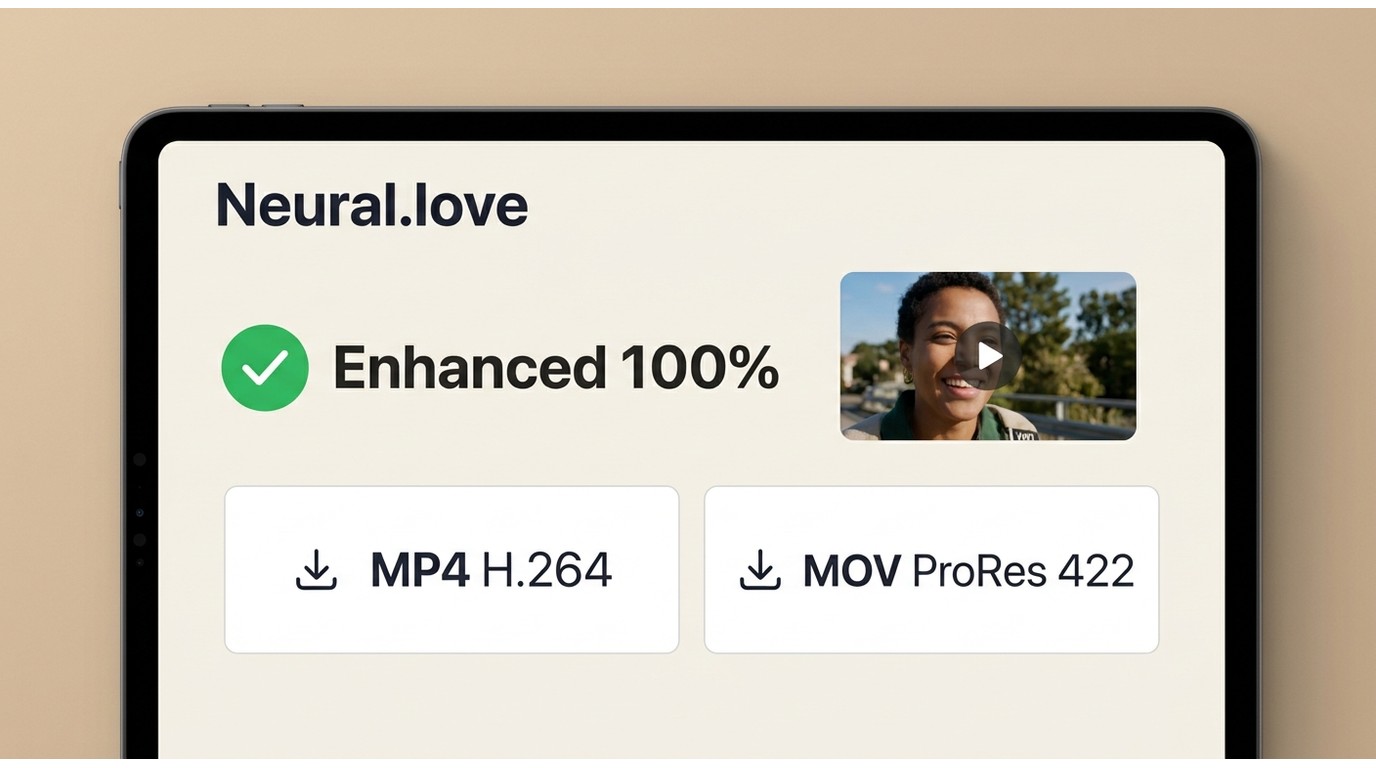
Prerequisites: You need a Neural.love account, an eligible video workflow, and enough credits for the selected job. The following steps cover the basic Video Enhancer process.
Step 1: Sign in and upload
- Open neural.love and create an account (email or Google sign-in).
- Pick Video Enhancer from the dashboard.
- Upload the source file accepted by the current workflow. If sign-in fails, retry in a current browser, disable conflicting extensions, and contact support if the account cannot be accessed.
Step 2: Choose enhancement settings
| Workflow area | What to decide | Practical guidance |
|---|---|---|
| Enhancement goal | Resolution or visual cleanup | Match the delivery need |
| Source quality | Compression, blur, and motion | Expect limits on damaged footage |
| Output format | MP4 H.264 or MOV ProRes 422 | Choose for playback or editing |
| Processing | Cloud job queue | Timing varies by job |
Step 3: Process and download
Choose Enhance, wait for the cloud queue, then download the finished file. MP4 H.264 is broadly compatible, while MOV ProRes 422 is more suitable for an editing workflow.
Practical tip: Process a short sample first to assess the result and credit use before committing a longer clip.
Neural.love Plans and Credit Value
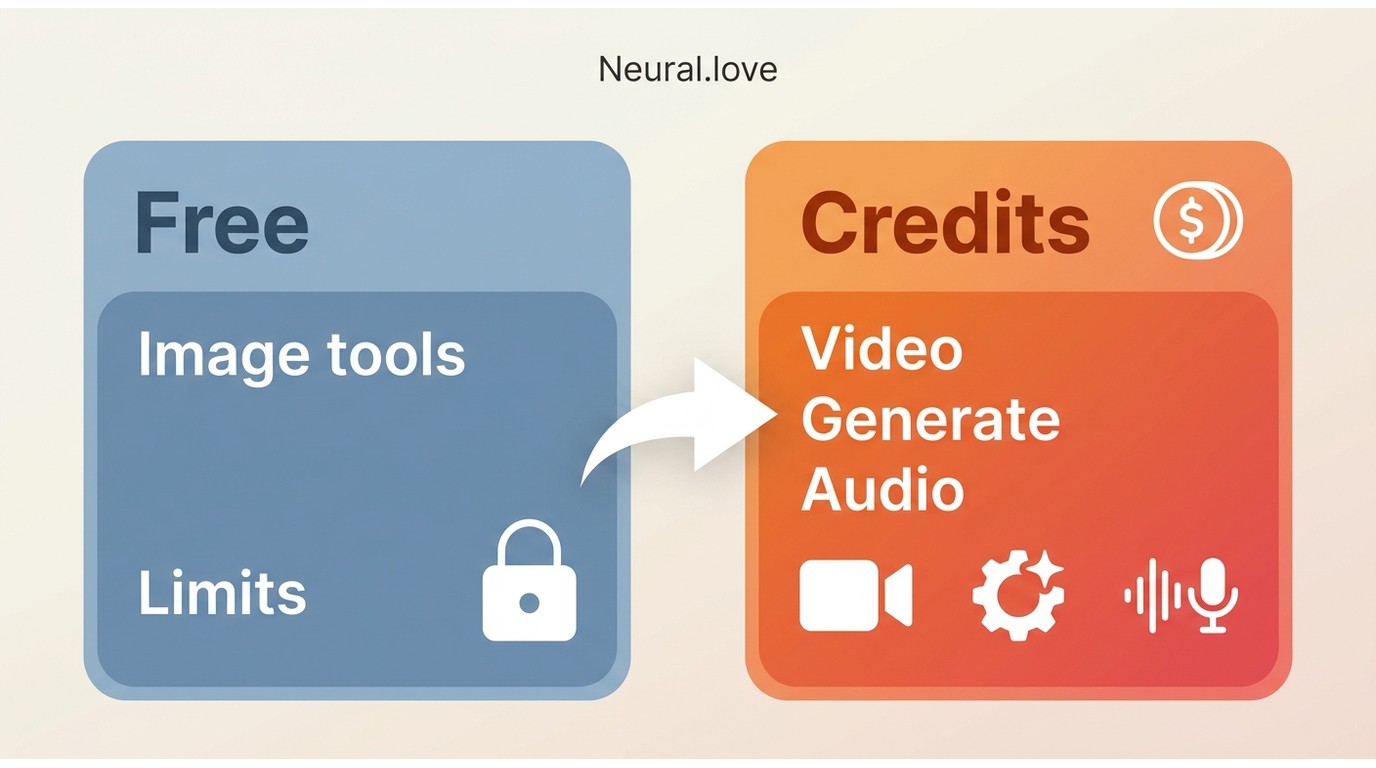
Neural.love uses a credit-based model across its creative tools. Current plan access distinguishes Free image-focused access from credit-based workflows. Shared credits can be convenient for mixed image work, but task-level consumption is harder to forecast for sustained video processing.
Current plan access
As of November 2026, Neural.love offers the following plan options.
| Plan | Price and package | Billing | Credit terms |
|---|---|---|---|
| Free | Eligible image tools | Free access | Plan limits apply |
| Pro | $8/month; 100 credits | Billed annually | Monthly rollover |
| Pay As You Go | $19; 100 credits | One-time purchase | Valid for 1 year |
Plan details: Neural.love pricing, neural.love/pricing.
The video and audio workflows noted under Reported Limitations require eligible credit-based access. A 100-credit package does not represent a fixed number of images or video minutes.
Task-Level Credit Costs
Plan access and listed credits do not by themselves establish a reliable cost per image, audio task, or video job. Before submitting a job, review your available credits, selected settings, and estimated credit use. For recurring video work, use a representative project to gauge credit use before treating the platform as a predictable monthly production cost.
Value Assessment
Shared credits make sense when image generation, restoration, and occasional video work live in the same workflow. I would choose Pro’s annual commitment and monthly credit rollover for a recurring mix of tasks, or Pay As You Go’s credits valid for 1 year for occasional projects. They are less straightforward when video enhancement becomes the recurring task, because project length and settings can change the total credit requirement.
Assumed project scenario: Someone restoring family photos occasionally can prioritize browser access and a shared credit pool. Someone processing video every week has a different decision: credit use, cloud versus local processing, and the required output format become the deciding factors. That is where a dedicated browser workflow or a locally installed desktop suite becomes easier to compare with Neural.love.
Neural.love Pros, Cons, and User Evidence
The Trustpilot experiences below date to 2024 and 2025; as of November 2026, Neural.love has a displayed rating of 4.4 out of 5 across 1,198 reviews. Reviews can highlight recurring experiences, but they do not establish the same outcome for every workflow.
Pros of Neural.love
| Strength | Historical experience | Review |
|---|---|---|
| Service satisfaction | Satisfied with the company and service | Trustpilot, 2025 |
| Ease of use | Found the platform easy to use | Trustpilot, 2024 |
Beyond these reviews, Neural.love provides image, video, and audio tools through one account, with image-focused access on the Free plan.
Cons of Neural.love
| Weakness | Historical experience | Review |
|---|---|---|
| Prompt mismatch | Instructions were not followed as expected | Trustpilot, 2025 |
| Repeated generation failure | Repeated attempts did not produce the requested creation | Trustpilot, 2024 |
Overall Verdict
The historical reviews describe both ease of use and service satisfaction, alongside cases where instructions were missed or repeated generation attempts failed.
Neural.love Alternatives for Video Work
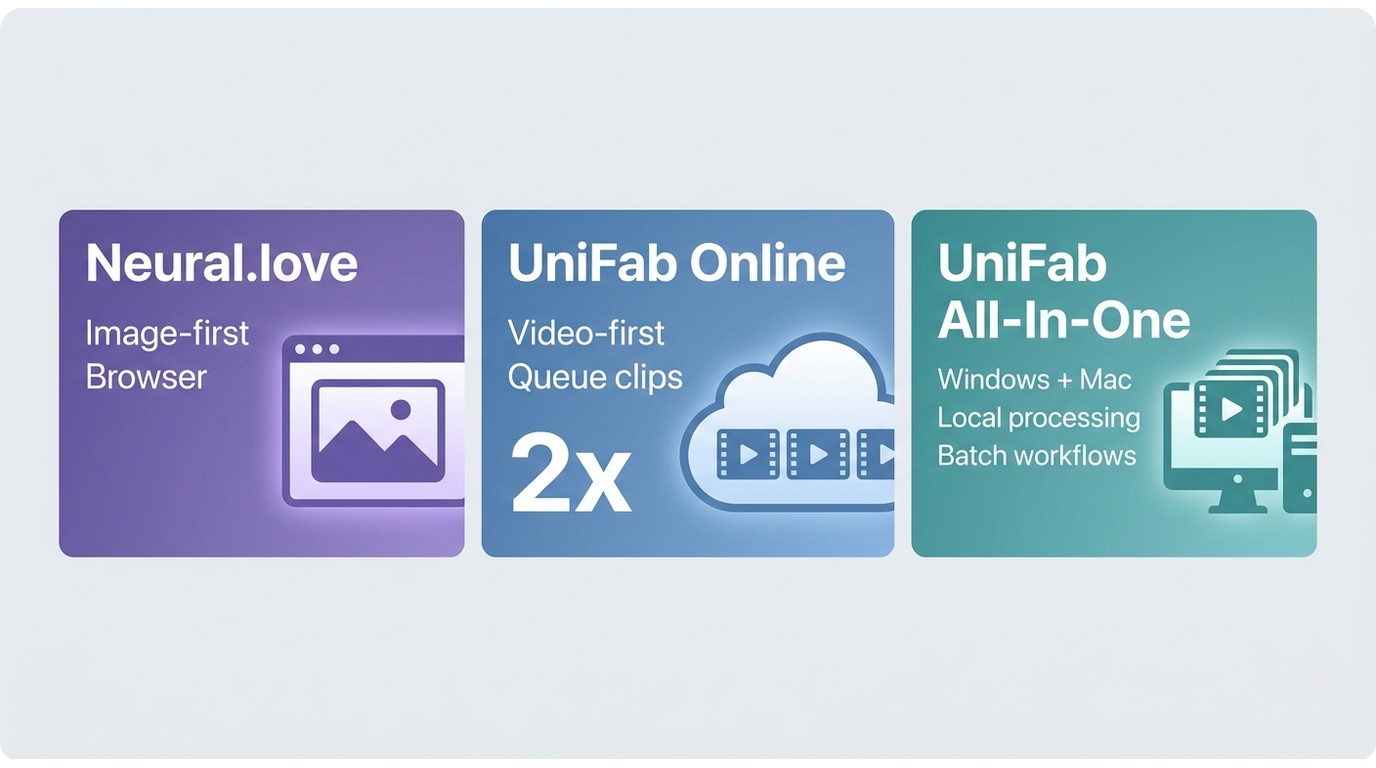
Neural.love combines image generation, restoration, and mixed creative tools. For video-focused work with authorized footage, UniFab’s AI Video Enhancer offers a browser workflow; UniFab All-In-One handles local processing.
UniFab Online vs Neural.love
| Product | Primary task | Access | Video workflow |
|---|---|---|---|
| Neural.love | Images and mixed creative work | Browser | Credit-based cloud processing |
| UniFab Video Enhancer Online | Video enhancement | Browser | 2x enhancement; clip queueing |
| UniFab All-In-One | Local video restoration | Windows and Mac installation | Batch processing; MP4 or MKV |
Best Fit for Each Tool
I would keep image-generation-first projects in Neural.love’s broader creative workspace: UniFab All-In-One is not the fit for image-generation-first work. UniFab Online is the browser option for video restoration, while the desktop suite requires Windows or Mac installation for local processing.
UniFab All-In-One for Local Processing
For users who prefer local processing, the UniFab All-In-One desktop suite is available for Windows and Mac, with batch workflows and MP4 or MKV output up to 4K. The UniFab review covers its desktop workflow.
UniFab All-In-One
UniFab All-In-One
UniFab All-In-One
UniFab All-In-One for Mac
Example: Upscaling Old Footage to 4K
For old footage you have permission to process, UniFab Online offers 2x enhancement and compression-noise cleanup; a desktop 4K video upscaler suits local processing for 4K delivery. Results still depend on the source, especially when blur or compression has removed original detail.
Denoise AI is designed to reduce film grain and compression noise; detail retention depends on the source, including old camcorder footage and low-light phone clips.
For a broader desktop overview, see the UniFab review.
If you prefer no installation, free online video upscalers offer browser workflows, with access limits to consider for recurring work.
Neural.love Review Verdict
Choose Neural.love when you want broad, image-first creative access with restoration and occasional multimedia tools in the same browser workspace. Before uploading project assets, account for its file-retention periods and the Free plan’s image-focused access.
I would consider UniFab Video Enhancer Online when video enhancement becomes the recurring task, rather than choosing it for image generation.
Neural.love FAQs
Is Neural.love free?
Neural.love offers Free-plan access for eligible image-focused tools. For video and audio access, see Current plan access above. Review the selected options and estimated credit use before submitting an image task, too.
Can Neural.love improve very low-quality media?
It can improve moderately soft or low-resolution images and video, but it cannot reliably reconstruct detail that is missing because of severe blur, heavy compression, or motion damage. Review a small output before committing a larger project.
Can I sell art made with Neural.love?
Commercial use is governed by Neural.love’s current terms; review those terms for your intended use.
Why does Neural.love sometimes produce unexpected results?
Generative edits can introduce unexpected details. In a 2024 Reddit post, a user reported that a Neural.love model update changed the results of their jersey-design prompts. Inspect each output and retain the original file, prompt, and settings for future work.
Does Neural.love offer a mobile app?
There is no native iOS or Android app — neural.love is delivered through the mobile browser. The interface works on phones and tablets without download.
What should I try if Neural.love sign-in fails?
Start by refreshing the sign-in page in a current browser, clearing site data, and disabling extensions that can interfere with sign-in windows. If the problem continues, use Neural.love’s support channel with the account email and any displayed error message.